AI Photo Unblur Tool: How to Fix Blurry Images in Seconds
Blurry photos can be incredibly frustrating, especially when they capture precious moments or important subjects. Whether it's camera shake, motion blur, or focus issues, traditional photo editing tools often fall short when trying to restore clarity to these images. However, with the advancement of artificial intelligence, fixing blurry photos has become not only possible but remarkably easy and effective.
What Causes Photos to Become Blurry?
Understanding the root causes of blurry photos is essential before diving into solutions. The most common causes include:
Types of Blur
Camera Shake: This occurs when the camera moves during exposure, creating overall blur across the entire image. It's particularly common in low-light situations where slower shutter speeds are used.
Motion Blur: When your subject moves during the shot, you get motion blur. This is different from camera shake as it typically affects only the moving subject while the background remains sharp.
Focus and Optical Issues
Out of Focus: Sometimes the camera's autofocus system doesn't lock onto the intended subject, resulting in a photo where the main subject appears soft or blurry.
Optical Issues: Problems with the lens, such as dust, scratches, or poor quality optics, can also contribute to overall image softness.
How AI Photo Unblur Technology Works
Artificial intelligence has revolutionized photo enhancement, particularly in the area of image deblurring. Modern AI unblur tools use sophisticated algorithms trained on millions of image pairs to understand how to reverse various types of blur.
AI Processing Methods
Deep Learning Networks: These tools employ convolutional neural networks (CNNs) that have been specifically trained to recognize blur patterns and reconstruct sharp details.
Pattern Recognition: The AI analyzes the type of blur present in your image and applies the most appropriate deblurring technique.
Enhancement Techniques
Edge Enhancement: Advanced algorithms detect and enhance edges and fine details that have been lost due to blur.
Noise Reduction: Many AI tools also incorporate noise reduction to ensure that the sharpening process doesn't amplify unwanted grain or artifacts.
Benefits of Using AI for Photo Unblurring
The advantages of AI-powered unblur tools over traditional methods are substantial:
Speed and Quality Benefits
Speed and Efficiency: What once took hours of manual work in Photoshop can now be accomplished in seconds with AI tools.
Superior Results: AI algorithms can often recover details that would be impossible to restore manually.
Practical Advantages
User-Friendly: No technical expertise required – simply upload your image and let the AI do the work.
Batch Processing: Many AI tools allow you to process multiple images simultaneously, saving time when dealing with large photo collections.
Cost-Effective: Most AI unblur tools are more affordable than professional photo editing software or hiring a professional retoucher.
Step-by-Step Guide to Using RestoreAI's Unblur & Sharpener
RestoreAI's Unblur & Sharpener tool makes the process incredibly straightforward:
Getting Started
Step 1: Upload Your Image
Navigate to the Unblur & Sharpener tool and upload your blurry photo. The tool supports various formats including JPEG, PNG, and TIFF.
Step 2: Automatic Analysis
The AI automatically analyzes your image to determine the type and severity of blur present.
Step 3: Processing
Click the enhance button and watch as the AI works its magic. The processing typically takes just a few seconds.
Step 4: Review and Download
Compare the before and after results using the interactive slider, then download your enhanced image.
Best Practices for Optimal Results
To get the best results from AI unblur tools:
Use High-Quality Source Images: While AI can work miracles, starting with the highest quality version of your blurry photo will yield better results.
Understand Tool Limitations: Severely degraded images or those with multiple types of blur may require multiple processing passes or different tools.
Experiment with Settings: Many tools offer different enhancement levels – try various settings to find what works best for your specific image.
Combine with Other Enhancements: Consider using additional AI tools like noise reduction or color correction for comprehensive image improvement.
Common Use Cases for AI Photo Unblur
AI unblur technology is particularly valuable in these scenarios:
Family Photography: Rescue precious family moments that were captured with slight camera shake or motion blur.
Professional Photography: Salvage images from important shoots where retaking the photo isn't possible.
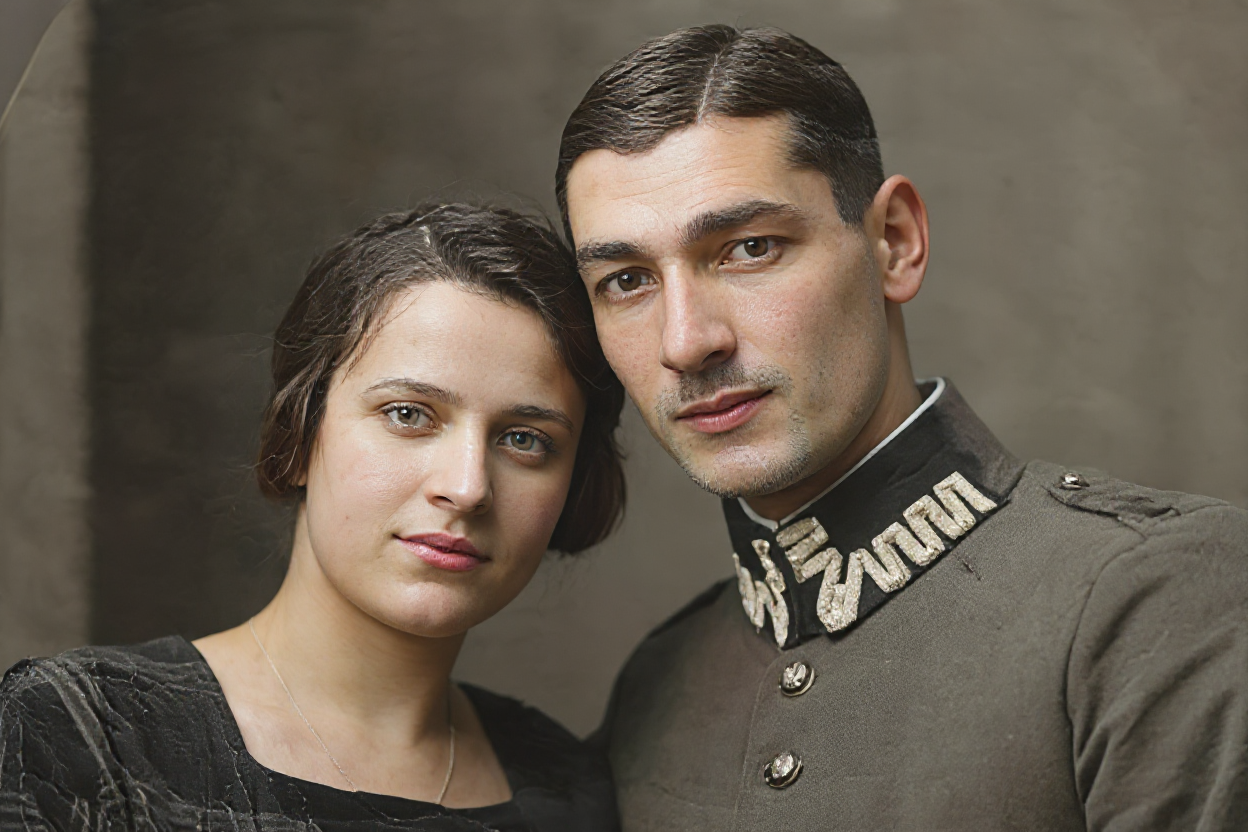
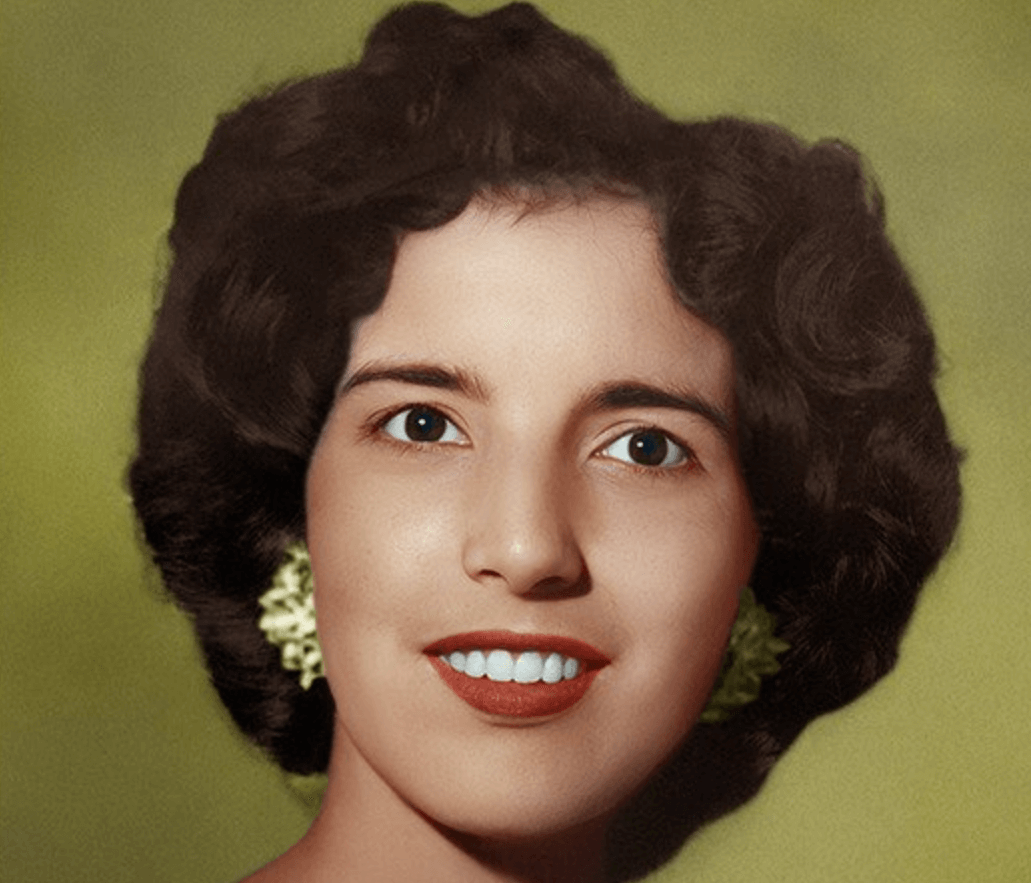
Historical Photos: Improve clarity in old photographs that may have suffered from camera limitations of their era.
Smartphone Photography: Enhance photos taken in challenging conditions where phone cameras struggle with focus or stability.
Real Estate Photography: Sharpen property photos that may have slight blur due to handheld shooting in low light.
The Future of AI Photo Enhancement
As AI technology continues to evolve, we can expect even more impressive capabilities:
Real-Time Processing: Future cameras may incorporate real-time AI deblurring, preventing blurry photos before they're taken.
Advanced Blur Type Recognition: More sophisticated algorithms will be able to handle complex combinations of different blur types.
Integration with Photography Workflows: AI tools will become more seamlessly integrated into professional photography and editing workflows.
Conclusion
AI photo unblur technology represents a significant leap forward in image enhancement capabilities. Tools like RestoreAI's Unblur & Sharpener make it possible for anyone to rescue blurry photos that would have been considered unsalvageable just a few years ago.
Whether you're dealing with family photos, professional work, or historical images, AI unblur tools offer an accessible, efficient, and highly effective solution. As this technology continues to advance, we can expect even more impressive results and easier workflows.
Don't let blurry photos remain a source of frustration. Try RestoreAI's Unblur & Sharpener tool today and discover how AI can bring clarity back to your most important images.
Blurry photos can be incredibly frustrating, especially when they capture precious moments or important subjects. Whether it's camera shake, motion blur, or focus issues, traditional photo editing tools often fall short when trying to restore clarity to these images. However, with the advancement of artificial intelligence, fixing blurry photos has become not only possible but remarkably easy and effective.
What Causes Photos to Become Blurry?
Understanding the root causes of blurry photos is essential before diving into solutions. The most common causes include:
Types of Blur
Camera Shake: This occurs when the camera moves during exposure, creating overall blur across the entire image. It's particularly common in low-light situations where slower shutter speeds are used.
Motion Blur: When your subject moves during the shot, you get motion blur. This is different from camera shake as it typically affects only the moving subject while the background remains sharp.
Focus and Optical Issues
Out of Focus: Sometimes the camera's autofocus system doesn't lock onto the intended subject, resulting in a photo where the main subject appears soft or blurry.
Optical Issues: Problems with the lens, such as dust, scratches, or poor quality optics, can also contribute to overall image softness.
How AI Photo Unblur Technology Works
Artificial intelligence has revolutionized photo enhancement, particularly in the area of image deblurring. Modern AI unblur tools use sophisticated algorithms trained on millions of image pairs to understand how to reverse various types of blur.
AI Processing Methods
Deep Learning Networks: These tools employ convolutional neural networks (CNNs) that have been specifically trained to recognize blur patterns and reconstruct sharp details.
Pattern Recognition: The AI analyzes the type of blur present in your image and applies the most appropriate deblurring technique.
Enhancement Techniques
Edge Enhancement: Advanced algorithms detect and enhance edges and fine details that have been lost due to blur.
Noise Reduction: Many AI tools also incorporate noise reduction to ensure that the sharpening process doesn't amplify unwanted grain or artifacts.
Benefits of Using AI for Photo Unblurring
The advantages of AI-powered unblur tools over traditional methods are substantial:
Speed and Quality Benefits
Speed and Efficiency: What once took hours of manual work in Photoshop can now be accomplished in seconds with AI tools.
Superior Results: AI algorithms can often recover details that would be impossible to restore manually.
Practical Advantages
User-Friendly: No technical expertise required – simply upload your image and let the AI do the work.
Batch Processing: Many AI tools allow you to process multiple images simultaneously, saving time when dealing with large photo collections.
Cost-Effective: Most AI unblur tools are more affordable than professional photo editing software or hiring a professional retoucher.
Step-by-Step Guide to Using RestoreAI's Unblur & Sharpener
RestoreAI's Unblur & Sharpener tool makes the process incredibly straightforward:
Getting Started
Step 1: Upload Your Image
Navigate to the Unblur & Sharpener tool and upload your blurry photo. The tool supports various formats including JPEG, PNG, and TIFF.
Step 2: Automatic Analysis
The AI automatically analyzes your image to determine the type and severity of blur present.
Step 3: Processing
Click the enhance button and watch as the AI works its magic. The processing typically takes just a few seconds.
Step 4: Review and Download
Compare the before and after results using the interactive slider, then download your enhanced image.
Best Practices for Optimal Results
To get the best results from AI unblur tools:
Use High-Quality Source Images: While AI can work miracles, starting with the highest quality version of your blurry photo will yield better results.
Understand Tool Limitations: Severely degraded images or those with multiple types of blur may require multiple processing passes or different tools.
Experiment with Settings: Many tools offer different enhancement levels – try various settings to find what works best for your specific image.
Combine with Other Enhancements: Consider using additional AI tools like noise reduction or color correction for comprehensive image improvement.
Common Use Cases for AI Photo Unblur
AI unblur technology is particularly valuable in these scenarios:
Family Photography: Rescue precious family moments that were captured with slight camera shake or motion blur.
Professional Photography: Salvage images from important shoots where retaking the photo isn't possible.
Historical Photos: Improve clarity in old photographs that may have suffered from camera limitations of their era.
Smartphone Photography: Enhance photos taken in challenging conditions where phone cameras struggle with focus or stability.
Real Estate Photography: Sharpen property photos that may have slight blur due to handheld shooting in low light.
The Future of AI Photo Enhancement
As AI technology continues to evolve, we can expect even more impressive capabilities:
Real-Time Processing: Future cameras may incorporate real-time AI deblurring, preventing blurry photos before they're taken.
Advanced Blur Type Recognition: More sophisticated algorithms will be able to handle complex combinations of different blur types.
Integration with Photography Workflows: AI tools will become more seamlessly integrated into professional photography and editing workflows.
Conclusion
AI photo unblur technology represents a significant leap forward in image enhancement capabilities. Tools like RestoreAI's Unblur & Sharpener make it possible for anyone to rescue blurry photos that would have been considered unsalvageable just a few years ago.
Whether you're dealing with family photos, professional work, or historical images, AI unblur tools offer an accessible, efficient, and highly effective solution. As this technology continues to advance, we can expect even more impressive results and easier workflows.
Don't let blurry photos remain a source of frustration. Try RestoreAI's Unblur & Sharpener tool today and discover how AI can bring clarity back to your most important images.